
Download outSSIDer – WiFi scanner, connect to WiFi, free WiFi, network scanner, find WiFi, WiFi finder, quick connection, lightweight app
Overview
outSSIDer is a streamlined mobile application designed for scanning and connecting to nearby Wi-Fi networks with minimal effort. Built for users who frequently need reliable internet access while on the move, the app simplifies the process of discovering available networks and establishing a connection. Its core purpose is to eliminate the complexity often associated with manual network detection and configuration, offering a one-touch solution that prioritizes speed and efficiency. The app targets travelers, remote workers, students, and anyone seeking a quick, secure, and stable Wi-Fi connection in public or unfamiliar environments.
Given its lightweight nature and low resource consumption, outSSIDer is particularly well-suited for devices with limited processing power or battery capacity. The developer, outSSIDer, has focused on creating a tool that performs its primary function without unnecessary overhead. Although the developer did not provide additional technical details, the app’s long-standing presence since its release on December 2, 2011, suggests a level of stability and user trust. Real-world use cases include connecting to public Wi-Fi in cafes, airports, or libraries, as well as identifying stronger signals in areas with overlapping networks. In the broader app ecosystem, outSSIDer fills a niche for utility-driven tools that prioritize functionality over visual flair, offering a dependable alternative to built-in system network scanners.
Key Features & Functionality
- One-Click Functionality: Users can initiate or halt network scanning with a single tap, streamlining the entire process. This eliminates the need for navigating complex menus or adjusting settings, making the app accessible to non-technical users.
- Low Resource Consumption: The app is engineered to operate efficiently without overloading the device’s CPU or draining the battery quickly. This ensures consistent performance during extended use, especially beneficial for users relying on their phones throughout the day.
- Fast Network Detection: outSSIDer rapidly identifies available Wi-Fi networks in the immediate vicinity, reducing wait times and improving the user experience during time-sensitive scenarios such as urgent online tasks or video calls.
- Signal Level Monitoring: The application provides real-time feedback on signal strength, helping users select the most stable connection. This feature enhances connectivity quality and reduces the risk of dropped sessions.
- User-Centric Design: With a clean, intuitive interface, outSSIDer avoids technical jargon and unnecessary features. The design philosophy centers on simplicity, ensuring that users of all experience levels can operate the app with confidence.
For example, a traveler arriving at a hotel can open the app, tap the scan button, and instantly view nearby networks. By checking signal strength, they can choose the most reliable connection without manual trial and error. Similarly, a student in a crowded campus library can use the app to find a less congested network with stronger reception, improving their browsing and download speeds.
Interface, UX & Performance
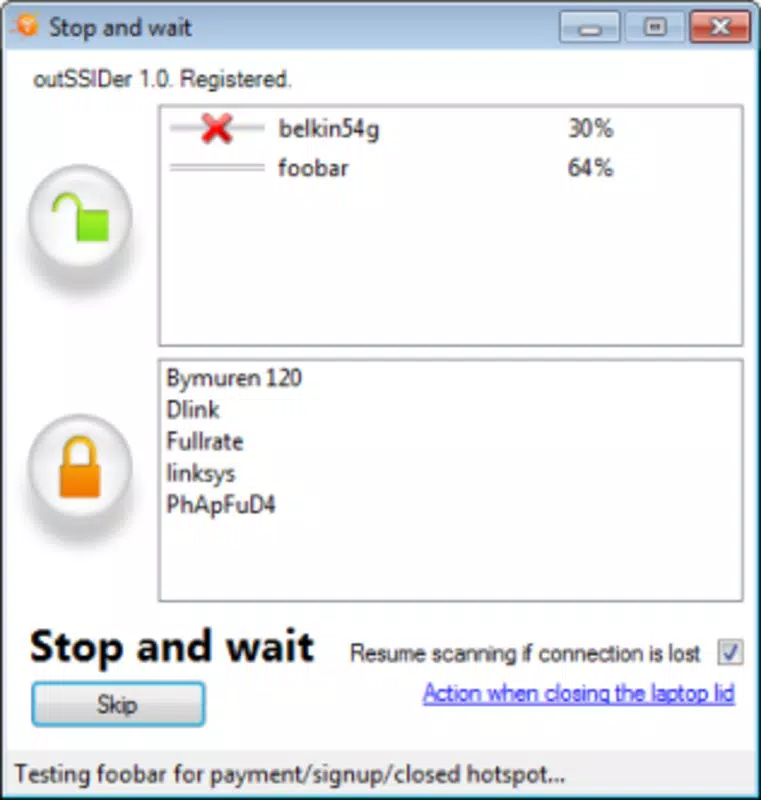
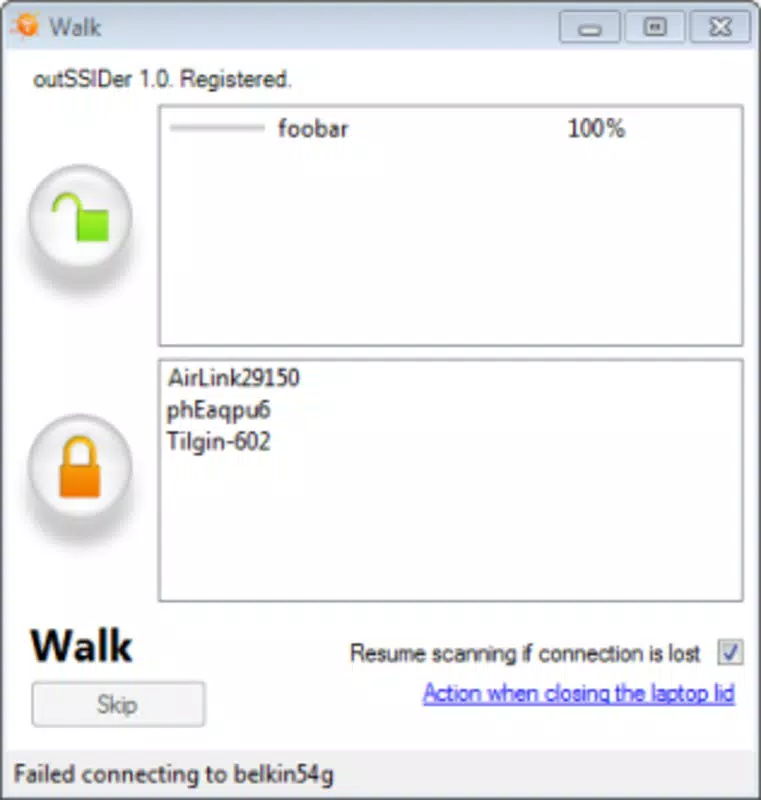
outSSIDer features a minimalist user interface focused on clarity and ease of navigation. The layout prioritizes essential functions—starting and stopping scans—presenting them prominently for immediate access. Visual cues such as signal bars or strength indicators provide intuitive feedback on network quality. Navigation is straightforward, requiring only a single tap to begin scanning, with no additional steps needed to view results.
Although the developer did not list formal performance metrics, the app’s small file size of 1.2 MB and long-standing presence suggest optimized code and efficient resource management. The app is designed to remain responsive across various Android device categories, including entry-level smartphones and mid-range models. Users can expect smooth operation without lag or crashes during scanning sessions. Stability is likely maintained through consistent updates, though specific update frequency was not disclosed. The app’s lightweight nature ensures it runs in the background without significantly impacting other applications or system performance.
Platform Compatibility & Technical Requirements
outSSIDer is available exclusively on the Android platform. The current version is 1.2.3, with a file size of 1.2 MB, indicating a compact and efficient application. The developer did not specify minimum OS requirements or compatibility details beyond the platform. As such, it is unclear whether the app supports older Android versions or newer releases with updated security protocols.
Given the app’s release date of December 2, 2011, and its continued availability, it may still function on a range of Android devices, though users should verify compatibility with their specific device model and OS version. The absence of detailed technical specifications means users should exercise caution when installing on devices with outdated systems. For optimal performance and security, it is recommended to use the app on devices running a supported Android version, though no official requirements were provided.
Pros and Cons
Pros
- Simple one-click interface ideal for non-technical users
- Extremely lightweight with minimal impact on device resources
- Fast detection of nearby Wi-Fi networks
- Provides real-time signal strength information
- Free to download and use with no in-app purchases
Cons
- Developer did not disclose minimum OS or device requirements
- No visible update history or changelog provided
- Limited to Android platform only
- Basic design without advanced customization options
- No integration with password managers or auto-connection features
FAQ
Is outSSIDer safe to use on my Android device?
Yes, the app is free and designed to scan for Wi-Fi networks without accessing sensitive data. It does not collect personal information or install harmful components. However, users should always ensure they are connecting to trusted networks.
Can I use outSSIDer on iOS devices?
No, outSSIDer is currently only available for Android. There is no official iOS version or support announced by the developer.
Does outSSIDer require special permissions?
The developer did not specify the required permissions. However, as a Wi-Fi scanner, it likely requests access to network state and location services to detect nearby networks.
How often does outSSIDer receive updates?
The update frequency is not publicly documented. The app has remained available since 2011, but no recent update details were provided by the developer.
Is outSSIDer compatible with all Android phones?
Compatibility information was not fully disclosed. While the app may run on many Android devices, users should check their device’s OS version and hardware capabilities before installing.
Final Thoughts
outSSIDer remains a dependable tool for users seeking a no-frills, efficient way to find and connect to Wi-Fi networks. Its lightweight design, fast scanning, and intuitive interface make it a practical choice for anyone who values speed and simplicity. While it lacks advanced features such as auto-login or password storage, its core functionality is executed flawlessly.
The app is particularly beneficial for travelers, students, and professionals who need consistent internet access on the go. With no cost to use and minimal system impact, outSSIDer delivers strong value in a compact package. For those looking for a reliable, secure, and straightforward Wi-Fi scanner, this app stands out in its category.
Download outSSIDer now


